A fresh count. One action.
New Batter clears balls and strikes while keeping scores, outs, and the inning in place.

THE BASERUNNER LINEUP
From the first pitch to the final score, keep the essentials close at hand.
01 / FOLLOW EVERY PITCH
Keep away and home scores, balls, strikes, outs, and the half-inning in one place. Use the plus and minus controls to update the scoreboard, with haptic feedback as you tap.
Five independent automatic scoring settings start enabled. Keep the help you want; your choices are remembered between games.
With the corresponding automatic action off, balls stop at three, strikes at two, and outs at two. A strikeout at two outs is blocked when automatic inning advance is off.
New Batter clears balls and strikes while keeping scores, outs, and the inning in place.
Undo restores an entire scoring action, including automatic changes. Subtracting an out or stepping back a half-inning keeps other counts intact. Undo history lasts for the current app session.
02 / PLAY BALL
Open New Game from the game menu or by pressing and holding the app icon on your Home Screen. Enter optional away and home team names and choose an optional game timer.
Nothing resets until you tap Start Game. Leave the names blank to use AWAY and HOME. Cancel to return to your current game.
Starting a new game resets the scores, balls, strikes, and outs to zero and returns to the top of the first inning. Your scoring preferences, themes, and timer quick picks stay with you. Undo New Game can restore the previous game, including its names and timer, during the same app session.
Your current game is saved on your device so you can pick up where you left off. Find the latest release highlights anytime in Settings → What’s New.
03 / WATCH THE CLOCK
For games with a time limit, set an optional timer and start it when play begins. Start, pause, and resume from the scoreboard, or use Game Timer in the menu to adjust the time or turn it off.
Edit and save your own quick picks for the game lengths you use most. Saving a timer adjustment pauses it until you’re ready to resume.
The timer keeps counting down when you switch apps or lock your phone. Undoing a scoring action leaves the timer unchanged.
When time runs out, get a beep and vibration while the app is open, or a notification when it’s in the background. Notifications must be allowed, and alerts follow your device settings.
04 / A GLANCE FROM THE DUGOUT
Start the timer to see the team names, score, and remaining time on your Lock Screen and in Dynamic Island on supported devices. A progress bar makes the time left easy to read.
The Lock Screen card follows your theme, with themed accents in Dynamic Island. Tap the Live Activity to go straight to the scoreboard.
Pausing removes the Live Activity from Dynamic Island and keeps the Lock Screen card for up to 15 minutes. Resume to bring it back. Turning the timer off or starting a new game dismisses the previous card.
05 / YOUR BALLPARK, YOUR COLORS
Use Auto to follow your device appearance, choose Light or Dark, or start with one of four ballpark-inspired presets.
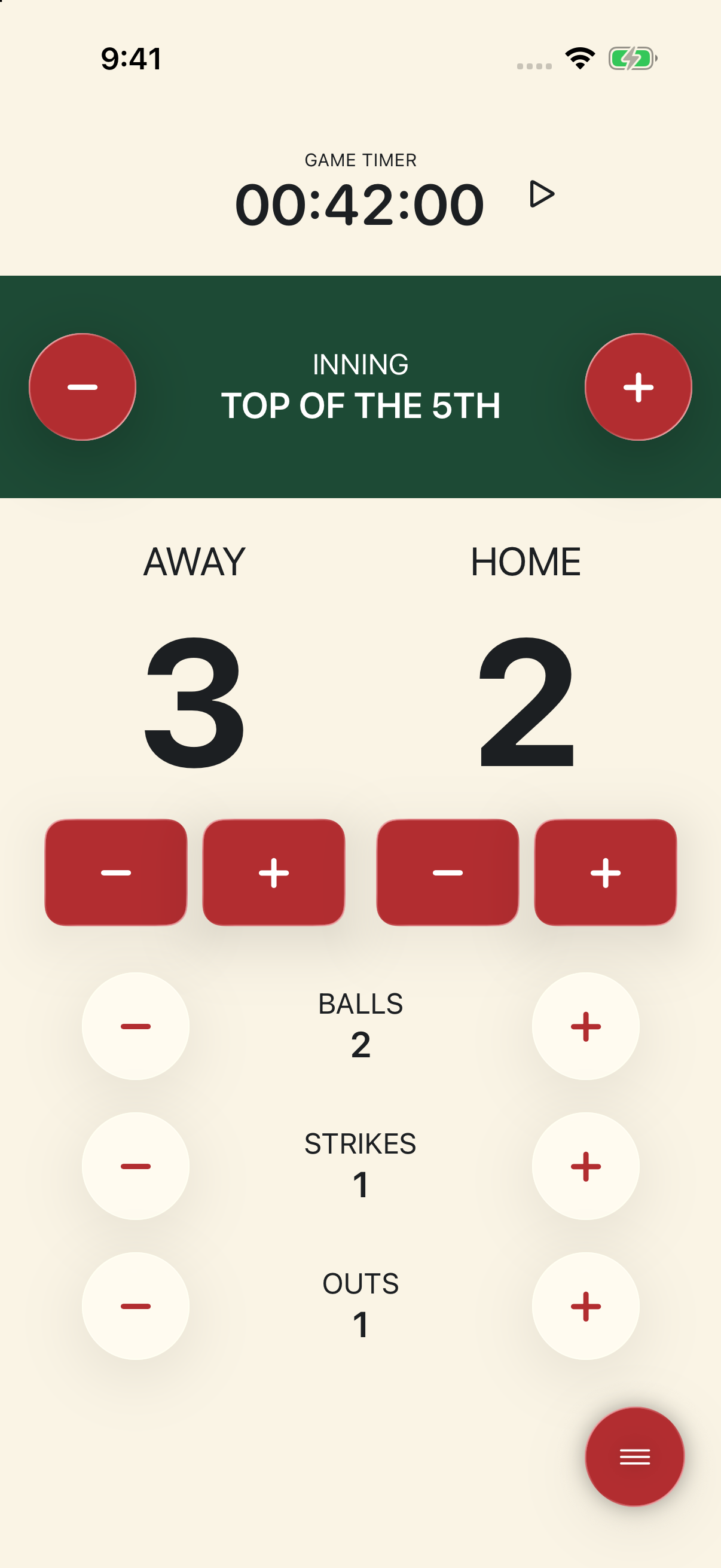
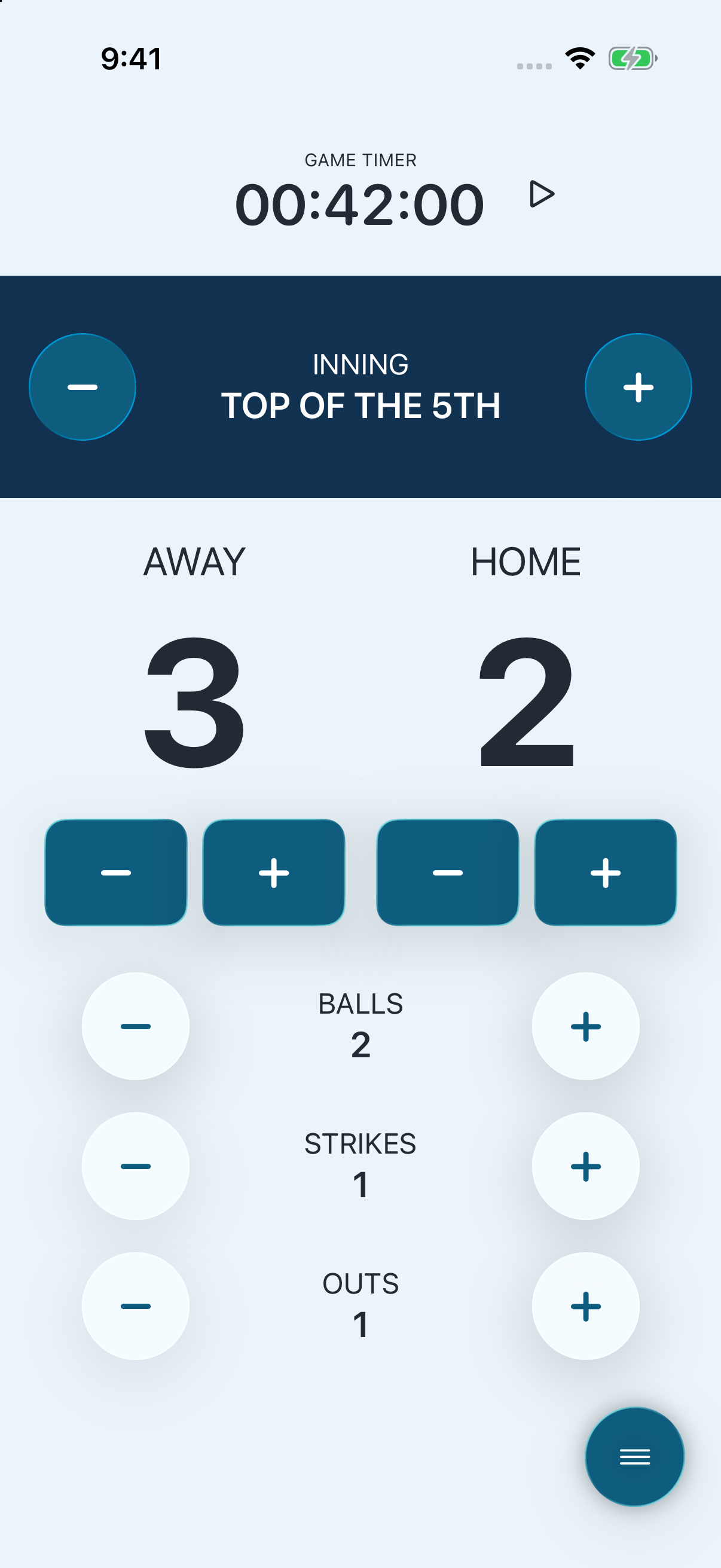
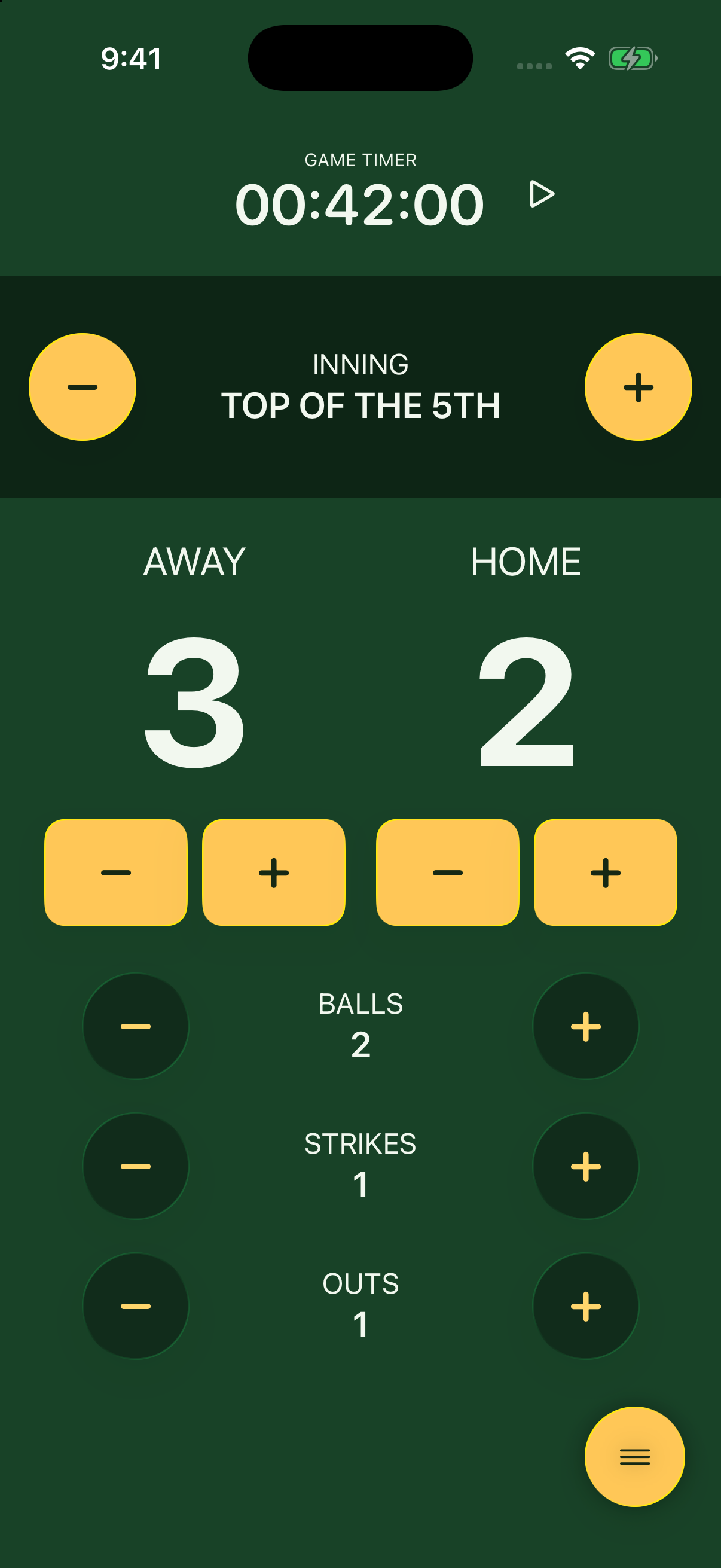
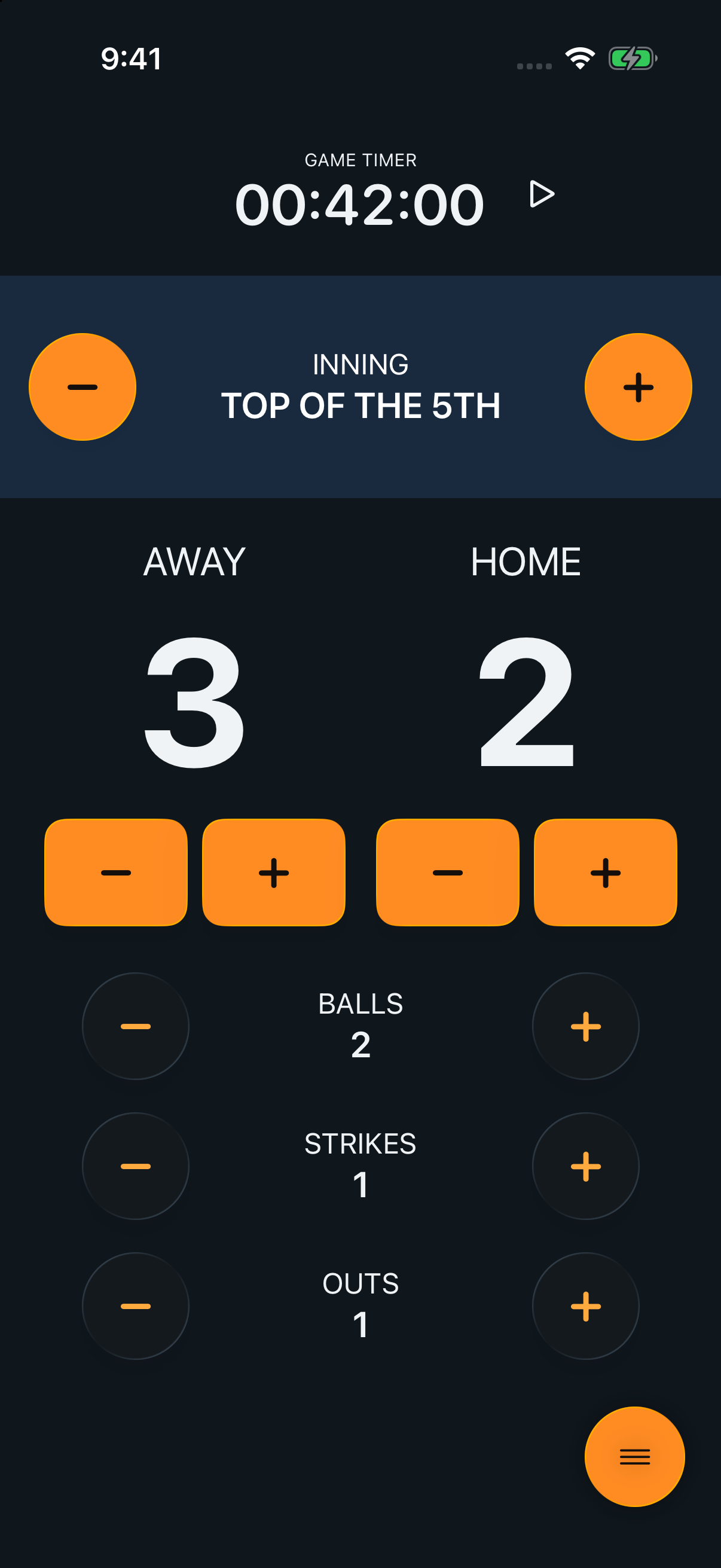
Screenshots from BaseRunner on iPhone. Select an image to view it full size.
Tap a theme to use it. Long press or choose Preview for a full-screen sample scoreboard with working controls. Explore without changing your game, then choose Use Theme. Auto previews support light and dark appearances.
Make a customizable copy of a preset, give it a unique name, and choose colors with the picker, hex codes, or RGB values. Set background and text colors for the scoreboard, inning panel, and buttons, plus count-control colors and a light or dark appearance.
Send themes through Messages, Mail, AirDrop, or Files as .baserunnertheme files. Import from Themes or open a received file to review a new draft. Imports keep existing themes safe; canceling an editor leaves saved colors unchanged.
06 / SEND THE SCORE
Choose Share Score in the game menu to preview an image with away and home team names, their scores, and the inning, styled in the theme you’re using.
Share a score update with the current inning as its heading, or turn on Final score to label the card as the final result. That label is just for the card; it doesn’t change your game.
The preview captures the score and theme when you open it. Share the image through Messages, Mail, or another option in the iOS share sheet. Each card includes the BaseRunner logo, with no added caption or link.
Keep it simple. Keep it moving. Keep score with BaseRunner.